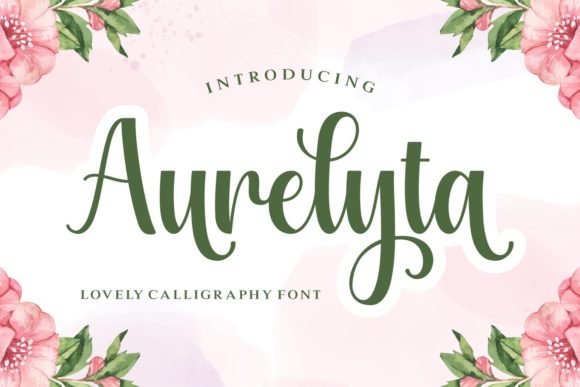
Aurelyta: Romantic Calligraphy Font for Wedding and Jewelry Branding
Aurelyta in a Wedding Branding Campaign: A Marketer’s Real-World Use Case
I was finalizing a launch campaign for a boutique wedding planner when I hit a wall with visuals. The brand needed elegance, romance, and a personal touch. The images were stunning, the color palette was dreamy, but something was missing. That’s when I tried Aurelyta, a script handwritten font that brought everything together with its soft curves and romantic flow.
Aurelyta isn’t just another font — it’s a storytelling tool. Its delicate strokes and warm personality made the brand feel intimate and authentic. From the logo to social media captions, the handwritten charm of Aurelyta added a human touch that resonated with couples planning their big day.
Why Aurelyta Works for Wedding Invitations and E-Cards
When designing digital wedding invitations, readability and emotional impact are key. Aurelyta shines in short-form text like event titles, names, and date lines. Its romantic calligraphy style is perfect for overlaying on soft background images or pairing with clean sans serif fonts for body text.
- Perfect for Instagram event stories and save-the-date posts
- Works beautifully on light or dark backgrounds
- Enhances the visual hierarchy of invitation templates
I used it for a Pinterest campaign promoting a “Romantic Elopement Guide” — the Aurelyta title caught attention instantly, even in fast-scrolling feeds. The font’s soft contrast and elegant ligatures made the content feel premium and approachable.
Aurelyta for Jewelry Branding: Crafting a Luxurious, Approachable Identity
Later that month, I helped a jewelry startup launch a new line of personalized necklaces. We wanted the brand to feel luxurious but not cold — something that felt crafted, not mass-produced. That’s when I brought in Aurelyta again, this time for product tags and Instagram carousel headers.
The script handwritten style of Aurelyta gave the brand a sense of craftsmanship and care. It paired beautifully with minimalist product photography and modern sans serif fonts like Montserrat or Lato. We used it primarily for logo-style text and campaign labels, avoiding long paragraphs to maintain clarity.
Using Aurelyta in YouTube Thumbnails and Reels Covers
For a behind-the-scenes video series on how the jewelry was made, we needed eye-catching thumbnails. Aurelyta was ideal for overlay text like “Handcrafted with Love” and “Limited Edition.”
We made sure to:
- Use it for short, impactful phrases only
- Keep font size large enough for mobile readability
- Ensure strong contrast with background images
- Pair with bold sans serif for supporting text
The result? Thumbnails that felt personal and elegant — perfect for a brand that wanted to stand out without looking overly formal.
Aurelyta in Birthday and Holiday Campaigns: Adding a Personal Touch
When the holiday season came around, we repurposed Aurelyta for a birthday gift guide and a Valentine’s Day campaign. The calligraphy font worked especially well in quote graphics, product tags, and email banners.
We built a Pinterest board using Aurelyta for quote-based pins like “Gifts that say I love you.” The font’s romantic tone and elegant structure made each pin feel like a personal note, not an advertisement.
Best Practices for Using Aurelyta in Social Media Posts
To get the most from Aurelyta in your fonts toolkit:
- Use it for headlines, not body copy
- Optimize for mobile by keeping text short and legible
- Combine with clean, modern fonts for contrast and clarity
- Test on different background tones — it works best with soft gradients or blurred textures
We also found that Aurelyta performed well in carousel posts where the font was used to introduce each section — like “Top 5 Romantic Gifts” or “Why Personalized Jewelry?”
How Aurelyta Enhances Brand Recognition and Message Clarity
One of the biggest benefits of using a premium font like Aurelyta is brand consistency. Once we established it as the signature typography for the jewelry brand, it became instantly recognizable across platforms — from Instagram stories to email banners.
It also helped with message clarity. In a world of bold, attention-grabbing fonts, the softness of Aurelyta stood out by being different. It didn’t scream — it whispered, and people leaned in to listen.
Font Pairing Tips for Maximum Impact
Don’t use Aurelyta alone. Pair it with:
- Montserrat or Open Sans for clean contrast
- Playfair Display for a more classic, editorial look
- Quicksand or Poppins for a modern, approachable vibe
Use Aurelyta for the hero text, then build the rest of the design with a legible, neutral font. This helps maintain readability while still capturing attention.
What to Check Before Using Aurelyta in Commercial Campaigns
Before deploying Aurelyta in client work or branded templates, always verify:
- Commercial font licensing — is it allowed for ads, merchandise, and client work?
- Included styles — does it offer ligatures, alternates, and multilingual support?
- File formats — are web and desktop versions available?
- Weight variations — can you use it for bold headlines and light overlays?
Once cleared, you can confidently use Aurelyta in digital ads, landing page headers, and branded content sets. It’s especially effective for businesses in the wedding, fashion, and lifestyle niches — where a romantic, personal tone is key.